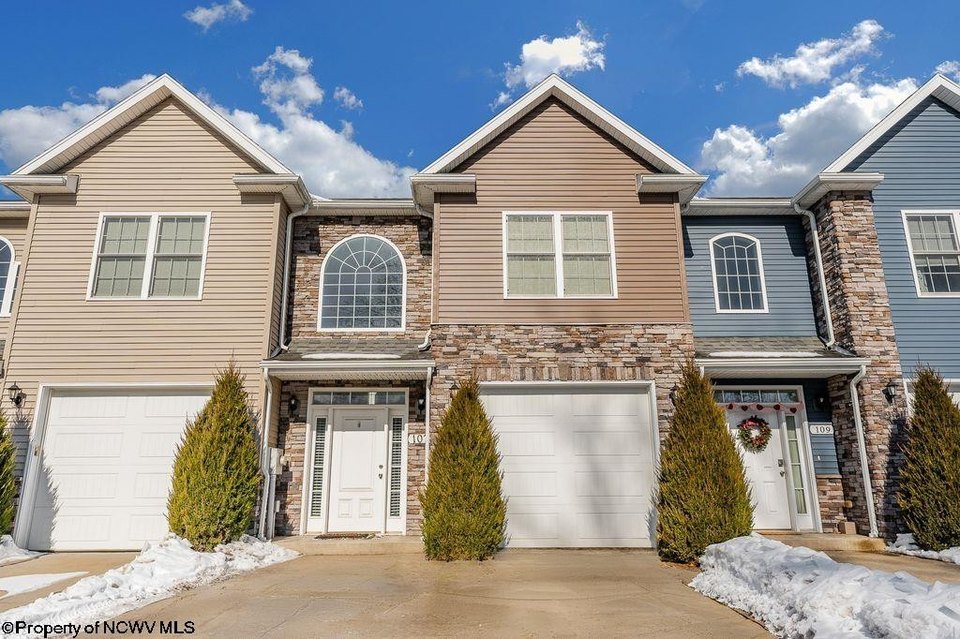
Email automation in San Jose, CA for Property Management

Managing a property portfolio in San Jose means juggling leases, maintenance requests, inspections, and tenant communication. When these tasks rely on manual email or spreadsheet updates, the risk of missed deadlines, duplicate work, and tenant frustration rises sharply. Email automation—integrated within a robust property‑management platform—offers a systematic way to keep everyone in sync without adding extra effort.
In an era where tenants are accustomed to instant messaging apps and real‑time notifications, the expectation for prompt email communication has become a standard service feature rather than a luxury. By embracing automation from day one, landlords can set clear expectations and demonstrate that their operations run on reliable technology.
Why Email Automation Matters for San Jose Landlords
San Jose’s rental market is competitive; tenants expect instant updates and clear communication. Automated emails ensure that every tenant receives the same timely notice, whether it’s a rent reminder, an inspection invitation, or a maintenance update. Consistency reduces disputes and helps maintain high occupancy rates.
For example, a typical scenario involves a late payment notice. Without automation, a property manager might send a handwritten memo or a manual email, risking delays that could lead to a tenant’s frustration or even a lease violation. Automation triggers the same professionally‑crafted message at precisely 24 hours after the due date, ensuring no tenant is left waiting for information.
From the landlord’s perspective, automation eliminates repetitive copy‑and‑paste tasks. Instead of drafting separate messages for each unit, a single template can be triggered by events—such as lease expirations or work order completions—and sent to all relevant parties. This shift frees time for strategic activities like portfolio expansion or tenant engagement initiatives.
For property managers operating in San Jose’s tech‑savvy environment, leveraging automation also signals professionalism and responsiveness—qualities that attract long‑term tenants and differentiate a business from competitors who rely on legacy systems.
Key Features of Property Management Software for Email Automation
A modern platform should combine core property‑management functions with flexible email triggers. Below are the most valuable features to evaluate:
1. Template Library with Dynamic Fields
Pre‑built templates that pull tenant names, unit numbers, and dates reduce errors and maintain a personalized tone.
When you select a template for rent reminders, dynamic fields automatically populate the amount due and the exact due date, so tenants receive a message that feels tailored rather than generic.
2. Event‑Based Triggers
Automated emails fire automatically when specific events occur—e.g., rent due dates, inspection schedules, or maintenance approvals.
By configuring an event trigger for “maintenance approval,” a notification will be sent to the tenant as soon as their work order is approved, reducing confusion and speeding up response times.
3. Bulk Send Capabilities with Segmentation
Send a single email to all tenants in a building while tailoring content for different lease terms or tenant groups.
This feature becomes crucial when managing mixed‑use buildings where some units are short‑term rentals and others are long‑term leases; each group receives the appropriate communication style and timing.
4. Two‑Way Communication Integration
Allow recipients to reply directly, and have those responses route into the system as notes or new work orders.
A tenant can simply hit “reply” on a maintenance update and their message will automatically become part of the work order’s history, eliminating the need for manual note‑taking.
5. Analytics Dashboard
Track open rates, click‑throughs, and response times to refine messaging and improve tenant satisfaction.
By reviewing analytics after a rent reminder campaign, you can identify which subject lines yield higher open rates and tweak future templates accordingly.
6. Compliance and Archiving Tools
Ensure that all communications are stored securely for legal compliance, especially important in California’s regulated rental market.
Automated archiving guarantees that every email is timestamped and searchable, protecting landlords against potential litigation or audit inquiries.
These capabilities form the backbone of an efficient email workflow. When selecting a system, confirm that each feature is available out of the box or can be added with minimal custom development.
Cost Drivers and Hidden Fees for Email Automation Solutions
The upfront license fee is often only the beginning of the cost equation. Consider the following drivers when budgeting:
- Tiered Pricing Based on Unit Count: Many vendors charge per unit, so a 100‑unit portfolio can see significantly higher annual costs than a single‑family property.
- Premium Support Levels: Dedicated account managers or 24/7 help desks increase monthly expenses but may be worth it for rapid issue resolution.
- Add‑On Modules: Features such as advanced reporting, custom branding, or integrations with third‑party services often incur separate fees.
- Implementation and Training: Initial setup—data migration, user training, and workflow customization—can require a one‑time consulting charge.
- Compliance Additions: In California, certain tenant data protection requirements may necessitate extra security modules that add to the license cost.
Additional hidden costs can arise from the need for data cleansing before migration. If duplicate contact records exist, automated triggers may fail or send duplicate emails—both costly in terms of time and reputation.
The single most important factor when evaluating email automation cost is the total cost of ownership over a multi‑year period. A platform that appears cheaper upfront can become expensive once you add support, compliance, and expansion fees.To avoid surprises, request a detailed cost breakdown from each vendor and model scenarios for 1‑year, 3‑year, and 5‑year horizons. A transparent pricing structure helps prevent hidden charges that erode ROI.
ROI Calculation: How to Measure Savings
Automated email workflows translate into both direct and indirect savings. Quantify the return on investment (ROI) by comparing current manual processes against proposed automation:
- Labor Hours Saved: Estimate the average time spent drafting and sending communications per month, then multiply by the number of units.
- Reduced Late Fees: Track how often automated rent reminders cut late payments. Apply the average penalty amount to calculate potential revenue recovery.
- Lower Maintenance Turnaround: Faster communication can shorten repair times, reducing tenant churn and vacancy rates.
- Compliance Risk Reduction: Avoid costly penalties by ensuring all communications are archived correctly.
Additionally, monitor email engagement metrics—open and click‑through rates—to gauge the effectiveness of your messaging. A higher open rate typically correlates with fewer missed notifications, which in turn reduces follow‑up labor.
Sum the monetary benefits and subtract the total cost of ownership. If the net benefit exceeds the investment, the automation solution is financially justified. In my experience, a mid‑size San Jose landlord saw a 35% reduction in late fees within the first year after implementing automated rent reminders.
Choosing the Right Vendor in San Jose, CA
Selecting a local provider offers advantages: easier onboarding, regional expertise, and compliance familiarity. When evaluating vendors, ask these questions:
- What is their track record with San Jose properties?
- Do they provide dedicated support for California regulations?
- Can they integrate with existing accounting or CRM systems?
- Is the platform scalable as my portfolio grows?
Also verify whether the vendor holds relevant security certifications—such as ISO 27001 or SOC 2 Type II—which can simplify compliance audits for California landlords.
Arrange a live demo that focuses on email automation workflows. Verify that the interface is intuitive and that triggers can be set without scripting. A vendor that offers a sandbox environment allows you to test scenarios before full deployment, ensuring there are no surprises during go‑live.
After narrowing down options, request references from other San Jose landlords. Peer insights often reveal real‑world performance and support quality that documentation cannot convey.
Implementation Tips and Common Pitfalls
Deploying an automated email system requires careful planning to avoid disruption:
- Map Out Communication Flows Early: Document every tenant touchpoint—rent due, inspection, maintenance—to ensure triggers cover all scenarios.
- Start with High‑Impact Triggers: Begin automation with rent reminders or lease renewal notices; these deliver immediate value and build confidence in the system.
- Test Thoroughly: Use a pilot group of tenants to validate email content, timing, and delivery before rolling out company‑wide.
- Train Staff Consistently: Provide clear SOPs for creating templates, updating triggers, and handling exceptions.
- Monitor Analytics Continuously: Adjust subject lines or send times based on open rates to maximize engagement.
A common mistake is underestimating the time required to clean data before migration. In my experience, a 200‑unit portfolio took an extra two weeks of data validation to avoid duplicate entries that would have broken automated triggers.
Keep communication channels open with your vendor during the rollout. Regular check‑ins help catch integration hiccups and ensure that the system evolves with your operational needs.
Conclusion: Next Steps for San Jose Property Managers
Email automation is no longer optional in a market where tenants demand instant, reliable communication. By selecting a platform tailored to San Jose’s regulatory environment, understanding the full cost structure, and implementing best practices, landlords can reduce manual labor, improve tenant satisfaction, and ultimately boost profitability.
Consider scheduling a free consultation or demo with local vendors to see how their automation features align with your portfolio’s specific needs. The right solution will not only streamline operations but also give you the flexibility to adapt as market demands evolve.
What email trigger has made the biggest difference in your property management workflow?